云托管
Note
云助手服务aliyun.service 官网地址
Ubuntu安装阿里云助手Agent
systemctl status aliyun.service
#!/bin/bash

VERSION=latest
PACKAGE=
PKG_URI=

DOMAIN=aliyun-client-assist.oss-accelerate.aliyuncs.com

arch=$(uname -m)
echo "[main] arch = ${arch}"
case $arch in
    "i386"|"i686"|"x86_64"|"amd64")
        if command -v rpm; then
            PACKAGE="aliyun_assist_${VERSION}.rpm"
        else
            PACKAGE="aliyun_assist_${VERSION}.deb"
        fi
        PKG_URI="https://$DOMAIN/linux/$PACKAGE"
        ;;
    *)
        if command -v rpm; then
            PACKAGE="aliyun-assist-${VERSION}-1.aarch64.rpm"
        else
            PACKAGE="aliyun-assist_${VERSION}-1_arm64.deb"
        fi
        PKG_URI="https://$DOMAIN/arm/$PACKAGE"
esac

if command -v wget; then
    sudo wget $PKG_URI
elif command -v curl; then
    curl -o $PACKAGE $PKG_URI
else
    echo "[WARN] command wget/curl not found, exit"
    exit 1;
fi;

if command -v rpm; then
    sudo rpm -ivh --force $PACKAGE
elif command -v dpkg; then
    sudo dpkg -i $PACKAGE
else
    echo "[WARN] command rpm/dpkg not found, exit"
    exit 2;
fi

if [[ -e /etc/redhat-release ]]; then
    if sudo systemctl status qemu-guest-agent; then
        sudo systemctl stop qemu-guest-agent
        sudo systemctl disable qemu-guest-agent
        sudo systemctl restart aliyun.service
    fi
fi
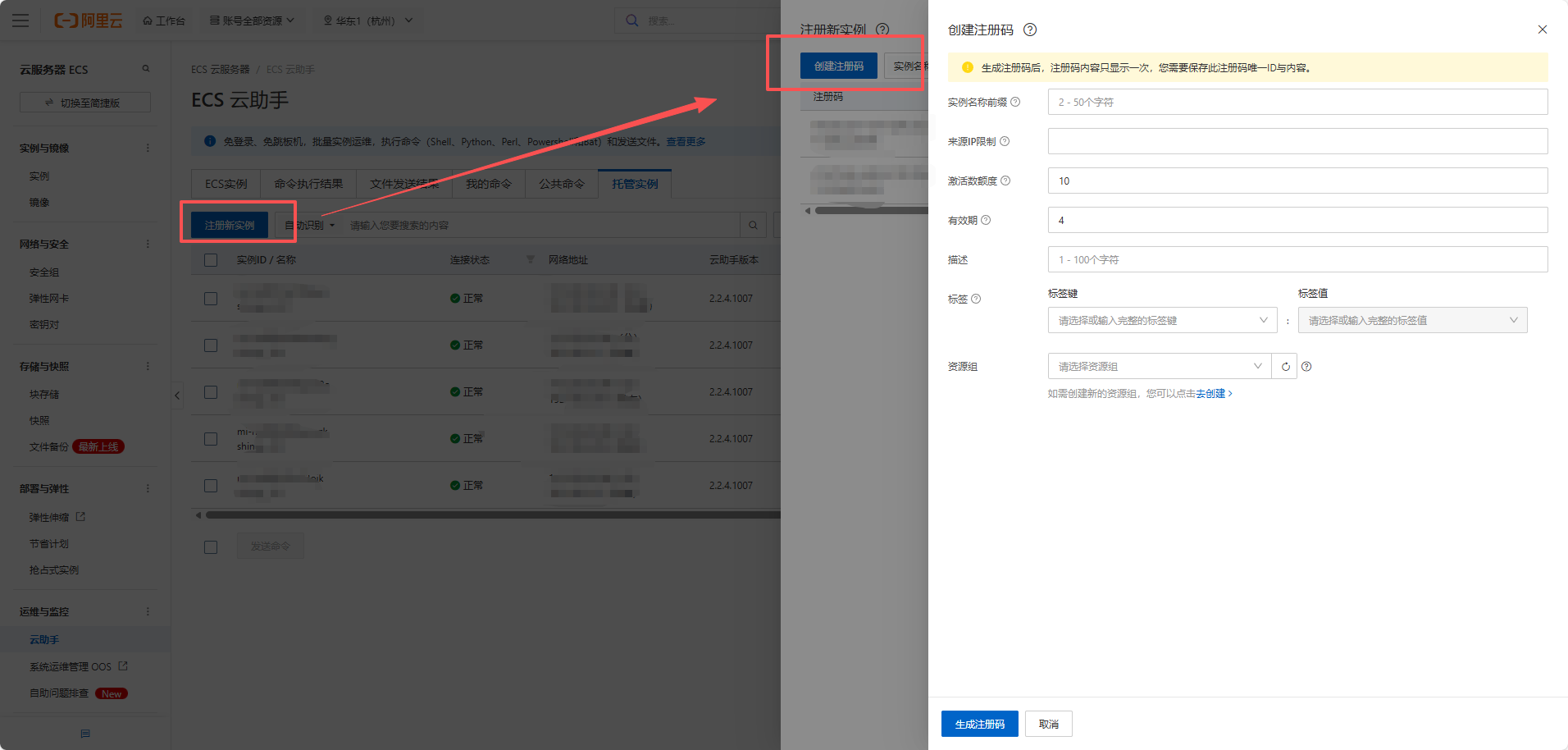
- 注册实列
sudo aliyun-service --register --RegionId "xx" \
   --ActivationCode "xxx" \
   --ActivationId "xxx"